
PIXIE Ambience

The wall plate range designed for PIXIE.

PIXIE Ambience is PIXIE's own exclusive plate range designed from the ground up to complement your smart modules. Four finishes. Five sizes. Smart and non-smart on the same plate, the same aesthetic, without compromise.
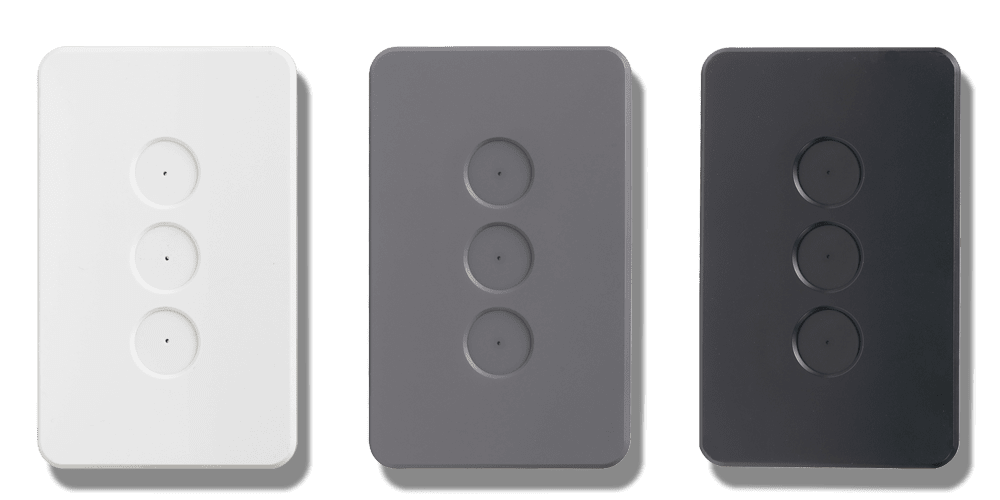
Gloss White Matt White NEW Matt Black Matt Grey Atomic White XL
PIXIE Ambience plates in Gloss White, Matt Grey and Matt Black finishes
cn-1
Five finishes, one design language. Here's what each one looks like in detail.
Choose your finish

Five finishes. One cohesive system.

Every Ambience faceplate shares the same modular grid plate and the same PIXIE smart modules your choice of finish changes only the look, never the function.

Gloss White
Classic, clean, and timeless. Works in virtually any interior, the standard choice for most homes.
Gloss button caps
New
Matt White
A softer, flat-finish white for contemporary and Scandinavian-influenced interiors. The only finish with matt button caps.
Matt button caps
Matt Black
Bold and architectural. Pairs naturally with darker cabinetry, engineered stone, and feature walls.
Gloss button caps
Matt Grey
Understated and versatile. Sits quietly in modern, industrial, and coastal interiors alike.
Gloss button caps
Atomic White XL
A larger-format Gloss White plate (89×132mm) for wider apertures or a more prominent wall statement.
Gloss button caps
Standard size 75 × 120mm Gloss White · Matt White · Matt Black · Matt Grey
XL size 89 × 132mm Atomic White XL only
The same wall grid plates (SWP1–6) are used across all finishes and both sizes.
cn-2
Picked your finish? Here's exactly what your electrician needs to order, finish by finish and size by size.
Faceplate Part Numbers

Order the right faceplate for your home.

All Ambience faceplates use the same wall grid plates (SWP1–6) and the same PIXIE smart modules. Your electrician orders the faceplate and the modules separately or together as part of a complete system design.

Finish 1-gang 2-gang 3-gang 4-gang 5-gang 6-gang
Gloss White Gloss button caps
SWAC1GW SWAC2GW SWAC3GW SWAC4GW SWAC5GW SWAC6GW
Matt White New Matt button caps
SWAC1MW SWAC2MW SWAC3MW SWAC4MW SWAC5MW SWAC6MW
Matt Black Gloss button caps
SWAC1SGB SWAC2SGB SWAC3SGB SWAC4SGB SWAC5SGB SWAC6SGB
Matt Grey Gloss button caps
SWAC1SGG SWAC2SGG SWAC3SGG SWAC4SGG SWAC5SGG SWAC6SGG
Atomic White XL 89×132mm · Gloss caps
SWALC1SGW SWALC2SGW SWALC3SGW SWALC4SGW SWALC5SGW SWALC6SGW
Wall Grid Plates used across all finishes and both sizes

The wall grid plate is the backing frame that clips to your wall and holds the PIXIE modules in place. The same plates work with every Ambience faceplate finish, standard and XL.

SWP1 SWP2 SWP3 SWP4 SWP5 SWP6
Button cap note: All Ambience finishes use gloss button caps except Matt White (SWAC_MW), which uses matt button caps for a fully flat finish. Button caps are included in the faceplate. Your electrician can advise on replacement caps if needed. Gloss white caps cannot be re-ordered separately.
Download the full Wall Plates & Accessories collection Complete part numbers for all Ambience faceplates, power point covers, switchcaps, Touch Panel, and more in one printable PDF.
Download PDF
cn-3
Here's how it all fits together. No specialist tools. No rewiring. Just snap.
How it all fits together

One grid plate. Every finish. Every size.

The wall grid plate clips to your wall and holds the PIXIE modules in place. The faceplate snaps over it cleanly and comes back off just as easily if you ever want to change a room's look. No specialist tools. No rewiring.

1
Click.

Attach the button cap to your PIXIE smart module. Three gloss white caps come in every PIXIE module box as standard.

2
Clack.

Seat the module into its slot in the wall grid plate. Configure each position dimmer, switch, fan controller, scene controller, however the room needs it.

3
Snap.

Clip your chosen Ambience faceplate over the grid plate. It locks in cleanly, with no tools and no visible fixings.
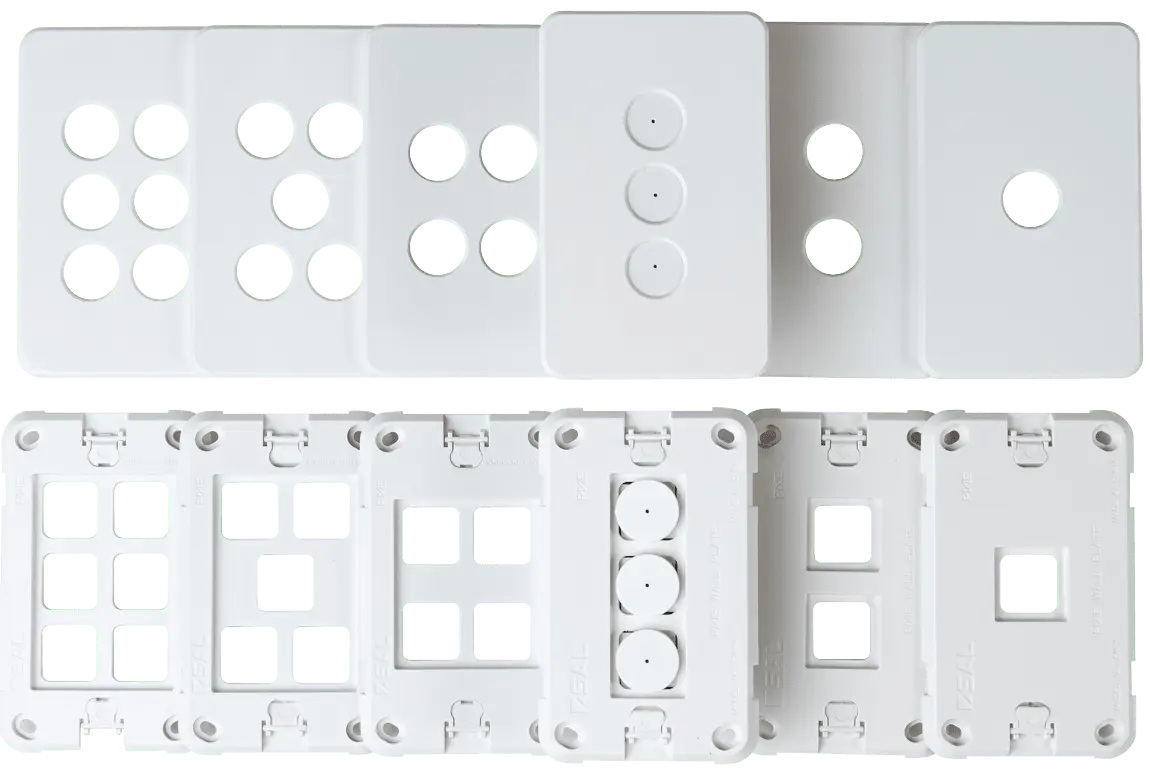
PIXIE wall grid plates SWP1–SWP6, front and back
Wall Grid Plates SWP1 through SWP6

The same wall grid plate works across every Ambience faceplate finish and both standard and XL sizes: order once, use anywhere.

SWP1 SWP2 SWP3 SWP4 SWP5 SWP6
Button caps — what comes in the box

Each PIXIE Master and Secondary Mech includes three gloss white button caps. These fit most Clipsal™, HPM™, and Excel™ Life™ apertures found in standard Australian wall plates as well as PIXIE Ambience plates.

🔘
3 gloss white caps included in every box
Fits Clipsal™, HPM™, Excel™ Life™, and PIXIE Ambience plates. Gloss white caps cannot be re-ordered as a spare part.
🔲
Replacement switchcaps — Gloss Black
Available separately in Clipsal™ style (SCTA/BTP), HPM™ style (SHEA/BTP), and Legrand™ style (SHLA/BTP).
📐
Silicon spacer for Clipsal™ Zen™ & Saturn™
SP/BTP — Push button silicon spacer, bag of 5. One is included with each product; re-orderable if lost.
🧩
PIXIE fits virtually every wall plate in Australia
Not using Ambience plates? PIXIE modules are built to the standard Australian mechanism sizing so they fit into the wall plates you already have, from almost any manufacturer.
See Style & Design →
cn-4
Switches sorted. Now let's match your power points to the same aesthetic. Four cover styles, three finishes. Every room, consistent throughout.
Smart Power Points

Four cover styles. Three colours.

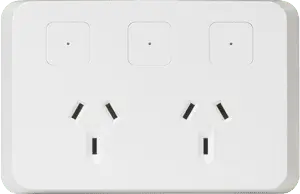
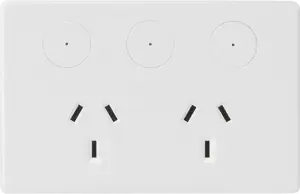
PIXIE smart power point covers are available in four styles across three colour finishes so your power points match your switch plates throughout the home.

PIXIE smart power points come in four faceplate styles across three colour finishes. Your electrician orders the device and cover together, or covers can be ordered separately to change the look later — no tools required.
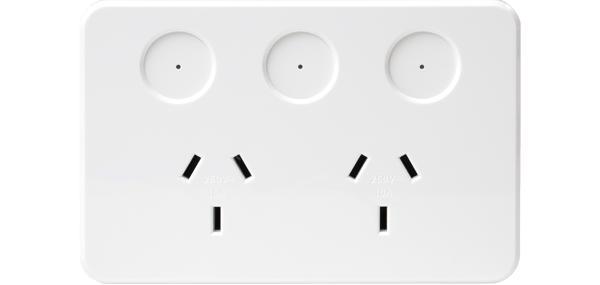
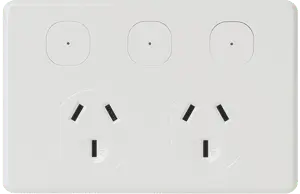
Standard faceplate
Standard
Square surround — device + cover
SPO23BTAM
Gloss White · Standard Offer
SPO23/BTAM/BK
Matt Black · Device + Cover
SPO23/BTAM/GY
Matt Grey · Device + Cover
Classic faceplate
Classic
Bevelled edges
SPO23/BTAM/CW
Gloss White · Device + Cover
Cover Only
SPO23CW/BTP
Gloss White · Replaces standard cover
Modern faceplate
Modern
Clean flat lines
SPO23/BTAM/IW
Gloss White · Device + Cover
Cover Only
SPO23IW/BTP
Gloss White · Replaces standard cover
Exclusive faceplate
Exclusive
Circular button surround
SPO23/BTAM/EW
Gloss White · Device + Cover
Cover Only
SPO23EW/BTP
Gloss White · Replaces standard cover
Cover Only part numbers (e.g. SPO23CW/BTP) are for upgrading an existing Standard (SPO23BTAM) to a different style — the device stays the same. All products must be installed or confirmed by a licensed electrician.
cn-5
Almost done. Two more options to complete the Ambience look throughout your home.
Non-Smart Switchcaps

Ambience caps for non-smart switches.

If you're using PIXIE non-smart switches (SWL10L or SBP10L) in your Ambience plates, replacement button caps are available in all three Ambience finishes — so your mixed plate maintains a consistent aesthetic throughout.
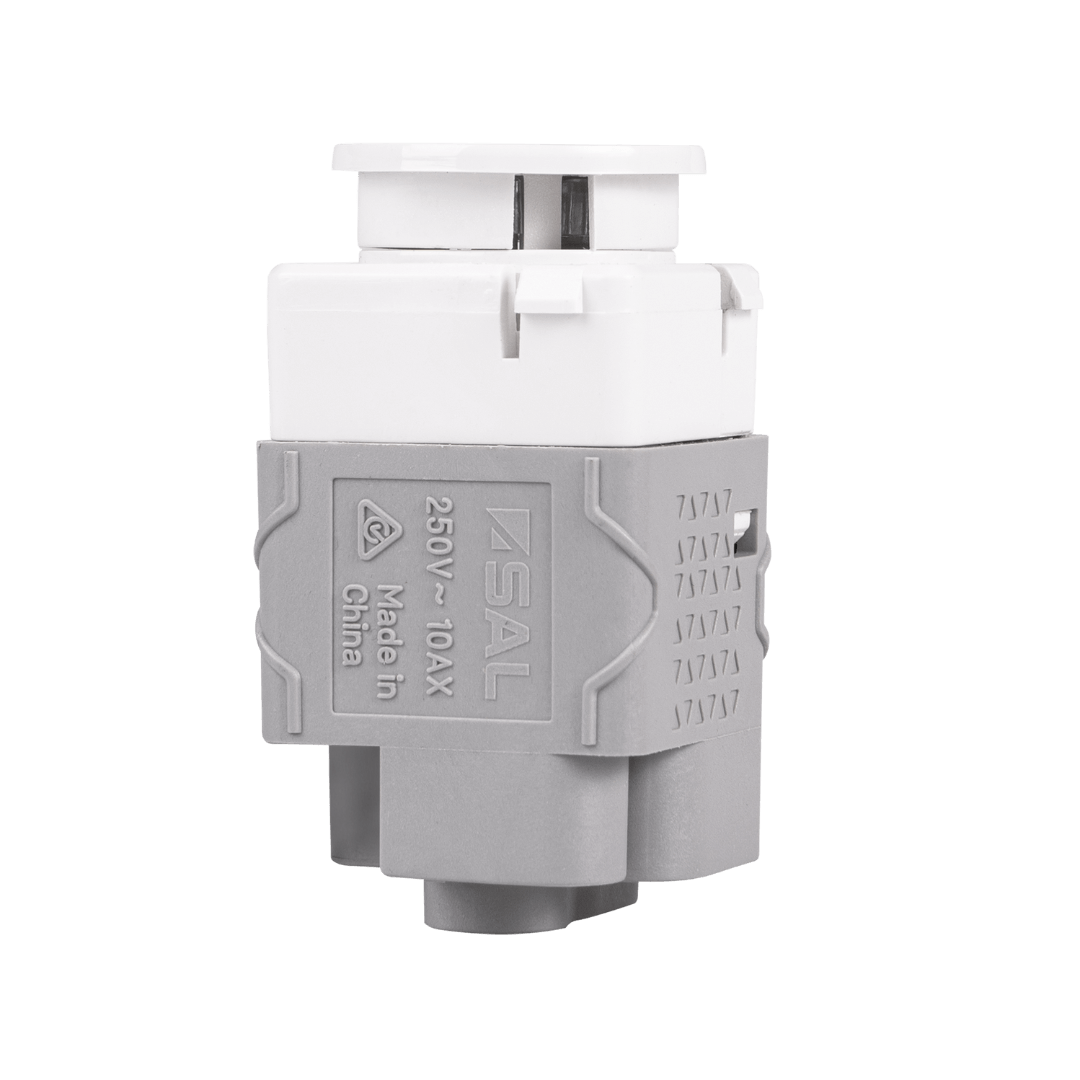
PIXIE Ambience non-smart switch module — SWL10L / SBP10L
PIXIE Non-Smart Switch Modules
Designed to sit alongside PIXIE smart modules — same button cap system, same Ambience aesthetic.
SWL10L SBP10L
Matt Black
SWABN/SGB
For SWL10L & SBP10L in Ambience plates
Matt Grey
SWABN/SGG
For SWL10L & SBP10L in Ambience plates
Matt White
SWABN/MW
For SWL10L & SBP10L in Ambience plates
Shipped with gloss white caps as standard. Gloss white caps cannot be re-ordered as a spare part. The Ambience replacement caps above are available separately through your electrical wholesaler.
PIXIE Touch Panel

The premium end of the Ambience range.

The PIXIE Touch Panel uses the same Ambience aesthetic — available in Matt Black, Matt Grey, and White Gloss. A touchscreen and physical controls in one elegant panel, fully integrated with the PIXIE ecosystem.
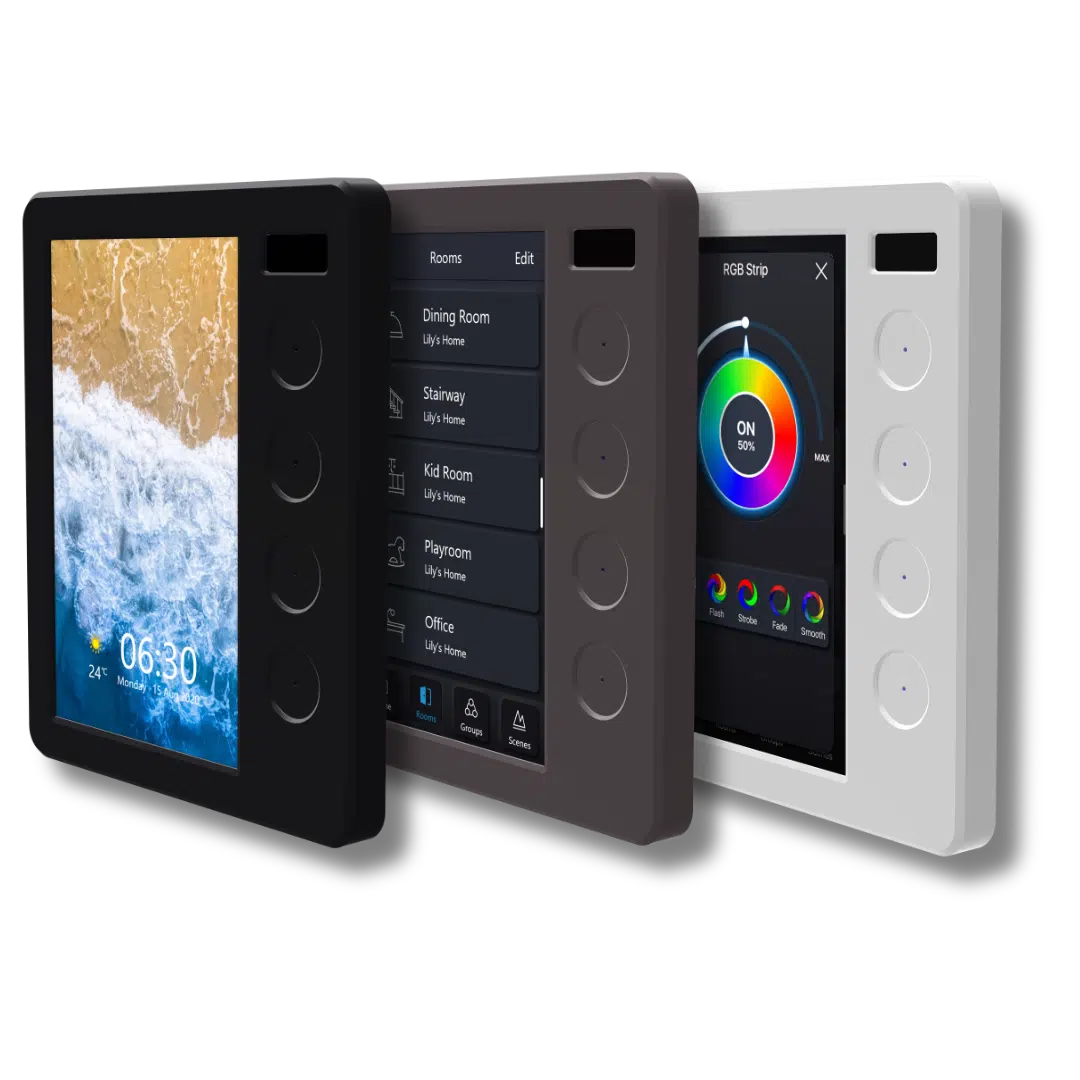
PIXIE Touch Panel in Matt Black, Matt Grey and White Gloss finishes
White Gloss — Device + Cover + Buttons STP54BTAS
Matt Black — Cover & Buttons Only STP54C/MB/BTP
Matt Grey — Cover & Buttons Only STP54C/MG/BTP
See the Touch Panel
Free Design Service

Not sure where to start? We'll design it for you.

Upload your floor plans and our design team will mark up exactly where every product goes — including which Ambience finish suits each room. A complete bill of materials comes back ready for your electrician to quote from.

1
Upload your floor plans

PDF, up to 15MB. You choose which features and finishes matter most — we take it from there.

2
We mark it all up

Our team returns your plans with product locations, finish recommendations, and a complete bill of materials.

3
Your electrician quotes from the BOM

The bill of materials goes straight to your installer or wholesaler. No guesswork. No surprises.

"No other smart home vendor in Australia does this for you, for free, for every project."
Get your free smart home design

Up to 3 revisions  ·  Free 15-minute Zoom call included  ·  10–14 working day turnaround  ·  No obligation

If your electrician isn't yet PIXIE-trained, we'll arrange that at no cost to you.